Google
A következő címkéjű bejegyzések mutatása: iPhone. Összes bejegyzés megjelenítése

2017/06/08

K Machine v2 demo (quick overview)

K Machine v2 demo (quick overview) from Kolargon on Vimeo.

K Machine is back with a completely new v2 version !
You can now upload you own audio samples (up to 24
simultaneous different samples) through Audioshare or ITunes File Sharing, have access to all the audio parameters of each track, upload your own visual shaders though ITune file sharing, unlimited number of loops, save/load your projects, have access to a sequencer for each track's parameters (including visual track).
Almost every controller can be mapped to up to 3 finger positions on the screen, or assigned a randomisation event.
Visual shader files are 100% compatible with vertexshaderart.com's vertex shaders, so you can work on your shaders online on vertexshaderart.com and then import in the KMachine (through ITunes File Sharing).
Shaders have access to sound frequencies history(about 2,4 sec) through texture access and screen touch history.
And a ingenious 'code in the comments' allows to expose up to 8 float parameters of your .glsl code to the Machine.

Complete (almost) list of new features:
-Audiobus 2.3.1 added, one receiver port, one sender port.
-Samples import with AudioShare.
-Shader/Audio files/animations files import with ITune file sharing
-Project can be saved/open in .kol format in the Documents.
-Live video capture through EveryPlay. Captured video are automatically saved to the photo album, and can also be shared on youtube or EveryPlay space.
-3 Audio Samples Tracks, each with:
Up to 8 players, supporting wav or aiff 44100 Hz files
Controls for:
Tempo
Tempo Factor
Pitch
3 parameters Flanger
4 parameters Reverb
Filter Resonant LowPass
Filter Resonant HiPass
Filter LowShelf
Filter HighShelf
Filter Parameteric

-Main Audio track, with:
Tempo BPM, Beats per scene (local parameters).
Global Volume as animation parameters.
3 band Equalizer as animation parameters.

-Visual track, with:
Background color parameter.
Up to 8 loaded glsl shaders.
Up to 8 shaders parameters exposed from the glsl code.

-Loop edition tools:
Unlimited number of loops
Clone current loop to end of the animation
Delete current loop
Copy/Paste current loop

-Play/Record tools:
Play animation sequencially
User action recorder save the actions to the project.
Start/Stop live video capture
Captured video is automatically saved in photo album
Possibility to share video on Everyplay
- 2 action modes added: change first event, no change
- 3 levels of rendering quality to adapt the rendering to your device.
- second screen projection without UI for live performances.

- Configurable beat per loop for each loop
- Configurable tempo for each loop
- immediate loop switching on touch event
- event splitting function allowing 1/2-1/3-1/5-1/7-1/11

Check/subscribe for more infos and demos:

http://www.kolargon.com
https://www.facebook.com/kolargon
https://twitter.com/Kolargon_
kolargon.art@gmail.com

2016/09/29

Projection mapping with IOS devices - The Dynamapper App

Projection mapping with IOS devices - The Dynamapper App from Spencer-Harvey on Vimeo.

Cheap projection mapping and VJ'ing using just and ipad, ipod or iphone to map content and play media.

The complete series of tutorials on mapping with IOS
Pt 1 https://vimeo.com/182219363
Pt2 https://vimeo.com/182225016
Pt3 https://vimeo.com/182226016

Software used in this 3 part tutorial
PT 1 https://itunes.apple.com/gb/app/thicket/id461778014?mt=8
PT 2 https://itunes.apple.com/gb/app/prspctv/id583007183?mt=8
PT 3 http://dynamapper.net/ & http://www.iskysoft.us

For more projection mapping tutorials please go to http://www.eyecandy-mapping.com/

Software used in this 3 part tutorial

PT 1 https://itunes.apple.com/gb/app/thicket/id461778014?mt=8
PT 2 https://itunes.apple.com/gb/app/prspctv/id583007183?mt=8
PT 3 http://dynamapper.net/ & http://www.iskysoft.us

For more projection mapping tutorials please go to http://www.eyecandy-mapping.com/

Projection mapping with IOS devices - The Prspctv App

Projection mapping with IOS devices - The Prspctv App from Spencer-Harvey on Vimeo.

Cheap projection mapping and VJ'ing using just and ipad, ipod or iphone to map content and play media.

The complete series of tutorials on mapping with IOS
Pt 1 https://vimeo.com/182219363
Pt2 https://vimeo.com/182225016
Pt3 https://vimeo.com/182226016

Software used in this 3 part tutorial
PT 1 https://itunes.apple.com/gb/app/thicket/id461778014?mt=8
PT 2 https://itunes.apple.com/gb/app/prspctv/id583007183?mt=8
PT 3 http://dynamapper.net/ & http://www.iskysoft.us

For more projection mapping tutorials please go to http://www.eyecandy-mapping.com/

Software used in this 3 part tutorial

PT 1 https://itunes.apple.com/gb/app/thicket/id461778014?mt=8
PT 2 https://itunes.apple.com/gb/app/prspctv/id583007183?mt=8
PT 3 http://dynamapper.net/ & http://www.iskysoft.us

For more projection mapping tutorials please go to http://www.eyecandy-mapping.com/

Interactive VJ’ing/Projetion mapped content with IOS devices - The Thicket App

Interactive VJ'ing/Projetion mapped content with IOS devices - The Thicket App from Spencer-Harvey on Vimeo.

Cheap projection mapping and VJ'ing using just and ipad, ipod or iphone to map content and play media.

The complete series of tutorials on mapping with IOS
Pt 1 https://vimeo.com/182219363
Pt2 https://vimeo.com/182225016
Pt3 https://vimeo.com/182226016

Software used in this 3 part tutorial
PT 1 https://itunes.apple.com/gb/app/thicket/id461778014?mt=8
PT 2 https://itunes.apple.com/gb/app/prspctv/id583007183?mt=8
PT 3 http://dynamapper.net/ & http://www.iskysoft.us

For more projection mapping tutorials please go to http://www.eyecandy-mapping.com/

2015/12/22

TLSensor for iOS

TLSensor for iOS from techlife on Vimeo.

TLSensor is iOS tool to supply various sensor parameters mounted on iPhone with Open Sound Control(OSC) to outside.

This application provides Location; latitude, longitude, altitude and movement speed, Heading; azimuth, Motion; posture angle, rotation speed and acceleration of gravity of device and acceleration to device user gives and Altitude ( only over iPhone6 ); relative altitude and atmospheric pressure.

http://techlife.sg/TLSensor/

2015/09/12

go:vj promotional video - govjapp.com

go:vj promotional video - govjapp.com from Liam Carlin on Vimeo.

Available from the App Store: itunes.apple.com/app/id1028844660 now!

go:vj enables anyone to mix video in real-time, anywhere they can go. Video artists and performers can control video playback, add and control effects, and choose from a selection of different blending types.

Just connect an Apple AV adaptor for output to a projector or screen, or use AirPlay to send video over wifi to an Apple TV.
The app has a streamlined UI, designed to enable the user to keep their video mix going. With responsive effects and controls, go:vj enables anyone to become the VJ, from the palm of their hand.

Go directly to the App Store itunes.apple.com/app/id1028844660 or find out more at govjapp.com!

Video Production: Liam Carlin vimeo.com/liamcarlin
Music: James Wood www.karandamusic.com

go:vj developed and owned by www.roboheadz.com

2015/07/23

Waveform iOS App

Waveform iOS App from erroneous on Vimeo.

coming to an app store near you

follow me for updates:
facebook.com/jonathan.erroneous | twitter.com/jon_weekes | http://jonerroneous.tumblr.com/

song: evening side - four tet
https://fourtet.bandcamp.com/track/evening-side

2014/04/28

[Just do-013] TLSyphonViewer for iOS

[Just do-013] TLSyphonViewer for iOS from techlife on Vimeo.

TLSyphonViewer is an iOS software. This software can receive data from TCPSyphon Server via WiFi. so you can show your visualization( like a vj performance ) by iPhone or iPad. How many can we handle iPhones? it's depend on your sender machine's power and network condition. Of course You can choose TCPSyphon Server by simple UI if many TCPSyphon Server are launched.

Case of this video;
VJ Software: Kraken ( final output resolution: 720 x 405 ) -> TCPSyphon Server -> 801.11n 5GHz -> TLSyphonViewer on 2 x iPhone and 1 x iPad.
2nd. VJ software: GRoK ( final output resolution: 640 x 480 )
iPhone: iPhone5 iOS7.1, 3rd Gen iPad iOS7.1
TLSyphon Server's quality setting: "Bad"
Kraken is our simple 2mix vj software: http://techlife.sg/Kraken/
GRoK is our another vj software: http://techlife.sg/GRoK/
TCPSyphon is our free tool: http://techlife.sg/TCPSyphon/

Thanks!

2013/06/07

pul.se

pul.se from Studio Avante on Vimeo.

pulse: noum,verb ( /pʌls/ )

1. a single disturbance that moves through a medium from one point to the next point;
2. Any of a series of intermittent occurrences characterized by a brief sudden change in a quantity;
3. The rhythmical throbbing of arteries produced by the regular contractions of the heart, especially as palpated at the wrist or in the neck;
4. The perceptible emotions or sentiments of a group of people;
5. A brief sudden change in a normally constant quantity;
6. A regular or rhythmical beating;
7. A single beat or throb;

http://pul.se.com/

Download for iOS:
http://appstore.com/studioavante/pulse

Music by Lacozta

pul.se from VaiVendo on Vimeo.

Download for iOS & Mac with Syphon
http://pul.se.com/

2013/03/29

PixelController Rough Cut #2. Featuring two PixelInvaders panels

PixelController Rough Cut #2. Featuring two PixelInvaders panels from michu on Vimeo.

PixelController is an OpenSource LED matrix controller software by Michael Vogt 2010-2013.
PixelController was developed to support my own PixelInvaders Panels (http://pixelinvaders.ch), meanwhile it support a lot of different hardware.

This "Rough Cut" video shows new features of the upcoming 1.3.1 release. New features:
-Wireless PixelInvaders Panels
-OSC Generator: use Processing (or any tool you like) to send images to PixelController.


**Update: PixelController v1.3.1 released, see http://neophob.com/2013/03/pixelcontroller-v1-3-1-released/ for more details**


I included some nice Processing code examples, like using your Android phone's camera to stream to PixelController.


PixelController is an OpenSource project, hosted on GitHub: github.com/neophob/PixelController
Download URL: code.google.com/p/pixelcontroller/downloads/list

Music by Garth Knight - Creepshow Theme: https://soundcloud.com/garth_knight/garth-knight-creepshow-theme

2013/01/16

Eternal Light - Take control of your photographic memories.


Eternal Light - Take control of your photographic memories. from Lrock on Vimeo.
Take your photographs out of the dark and put them in Eternal Light [EL1] - An OSX app that lets you playback, filter, affect & record an infinite number (100,000+) of images & videos at any speed. All synced to sound and controlled (optionally) via iPhone or iPad.

We'll be launching a Kickstarter campaign very soon.
Watch out!

Find more infos & examples on http://eternallight.io

2012/11/20

VJ in your pocket

Transform your iPhone or iPod touch into a cutting-edge mashup machine for your music and videos: http://www.algoriddim.com/vjay-iphone Mix and scratch your favorite music videos from iTunes or combine songs from your music library with personal video footage into an interactive audio visual experience. You can even use the built-in camera on your device to add your very own clips to the mix with added special effects. The first of its kind on the iPhone or iPod touch, vjay lets you create fun video mashups, display directly to a TV, or record your performances live to share instantly on Facebook or YouTube.

2012/05/11

HyperSpace 3D Synth


HyperSpace 3D Synth from strange agency on Vimeo.
Just released! The latest and greatest in our series of Space synths for iOS.

Synthesize music with sculpted waves; grok mesmerizing visuals.

More at:
http://thestrangeagency.com/products/hyperspace/

VGA output on the way, for iPhone-controlled projections!

2011/12/07

Makanim for iPhone and iPad - Graphic Multitouch App - Fun, Relax and VJ

"Want to relax or have fun? Enjoy an amazing graphic experience with Makanim. 
Create stunning animations playing with the multi-touch! 
Make fantastic effects and discover plenty of shapes and patterns! 

You can play with Makanim at home for fun, at a party or on stage for VJing*, improvise during live performances and create new animations on the fly. Makanim allows you to produce wonderfull screenshot of your creation and use it as wallpaper. Makanim offers endless combinations of visual effects by changing seven simple parameters. You can spend hours discovering the different ways to animate shapes. 

Makanim is a powerfull application that can both entertain and relax. 

* Please note that VGA/HDMI output is only available on iPad2 and iPhone 4S. Makanim does not support VGA/HDMI output for other devices.

★ FEATURES ★

● Multi-touch graphic generator of particles 
● Predefined selections as thumbnails 
● Edit preset in real time 
● Use up to 6 fingers gesture 
● Switch modes, shapes, start and end colors 
● Control speed, size and magic chaos 
● 10 animation modes/patterns 
● 25 beautiful and original shapes 
● 33 arrangements of colors 
● 48 editable presets 
● Saving of user presets 
● Animation auto-play 
● Thousands of possible combinations 
● Screenshot button to save images to your photo library 
● Expert mode : hide/show the menu bar 
● Limit the number of fingers to avoid interference with iPad multi-touch 4/5 fingers gesture 
● Universal app that can be used on iPhone, iPod touch and iPad (without requiring you to purchase it twice)
iTunes link: Makanim - http://tinyurl.com/makanim 
 Follow us on Facebook: http://tinyurl.com/appakabarfb Follow us on Twitter: http://twitter.com/app_for_ipad 
 Visit http://appakabar.com for more info. ©2011 Appakabar 
 ★ Makanim 
★  Want to relax or have fun? Enjoy an amazing graphic experience with Makanim. Create stunning animations playing with the multi-touch! Make fantastic effects and discover plenty of shapes and patterns! You can play with Makanim at home for fun, at a party or on stage for VJing*, improvise during live performances and create new animations on the fly. Makanim allows you to produce wonderfull screenshot of your creation and use it as wallpaper. Makanim offers endless combinations of visual effects by changing seven simple parameters. You can spend hours discovering the different ways to animate shapes. Makanim is a powerfull application that can both entertain and relax. * 
Please note that VGA/HDMI output is only available on iPad2 and iPhone 4S. Makanim does not support VGA/HDMI output for other devices. 
 ★ Soundtrack Credits 
★ Kerala - Control iTunes link: Kerala - Control - http://tinyurl.com/keralacontrol http://www.facebook.com/CtrlCtrl http://www.yuk-fu.com/ ©2011 Yuk-Fü records

2011/10/31

Mail from Christian Sander

"Dear vj labor - Team,
last week we released our Visual Music Clip "TELEPHONE HELICOPTER
APPLAUSE GUNSHOT" by Lorenz Rhode, that was blogged at BoingBoing
(http://bit.ly/nCX2rG), Nerdcore.de, etc.
Now we want to introduce our related interactive Visual Music App
"Synse THAG" for iPhone and iPad.Video artist Anne Lucht captured a
casual kitchen sit-in between a low-res alien gang and their hooded
flatmates, bopping their heads to Lorenz Rhode's krautrocky tune
TELEPHONE HELICOPTER APPLAUSE
GUNSHOT.http://www.youtube.com/watch?v=TRg1FsbXBmc
Here you can try the
iPhone-Version:http://itunes.apple.com/us/app/synse-thag/id472694211?&mt=8Promo-code:
MHMKPYE73YXK
and the iPad-Version:http://itunes.apple.com/us/app/synse-thag-for-ipad/id472829856?&mt=8Promo-code:
99NX3HTK6XJW
__Press-Text:Synse-team got a fresh visual music set for you: Synse
THAG! Video artist Anne Lucht captured a casual kitchen sit-in between
a low-res alien gang and their hooded flatmates, bopping their heads
to Lorenz Rhode's krautrocky tune TELEPHONE HELICOPTER APPLAUSE
GUNSHOT.
Synse is an interactive Visual Music App: It combines controlling
music and visuals with Multitouch and creates a unique audiovisual
experience.
Also check out the original award-winning iPhone-App "Synse - Visual
Music App" http://www.youtube.com/watch?v=B3OK5Hw8Tus
Visuals: www.anne.deMusic: www.facebook.com/lorenzrhodeApp: www.synse.net___

here are some App-Screenshots:
http://dl.dropbox.com/u/698157/Synse_Public/SynseTHAGscreenshots.zip

I'm really looking forward to your feedback and hope you'll enjoy the App.
Thanks & Greetings from Duesseldorf,Christian Sander

-- 
-

HOMEPAGE: www.synse.net
EMAIL: christian@synse.net

FACEBOOK: http://www.facebook.com/Synse
TWITTER: http://twitter.com/#!/Synse_App "


iPhone: http://itunes.apple.com/us/app/synse-thag/id472694211?&mt=8
We've got a fresh visual music set for you: Synse THAG! Video artist Anne Lucht captured a casual kitchen sit-in between a low-res alien gang and their hooded flatmates, bopping their heads to Lorenz Rhode's krautrocky tune TELEPHONE HELICOPTER APPLAUSE GUNSHOT.

iPad: http://itunes.apple.com/us/app/synse-thag-for-ipad/id472829856?&mt=8

Watch full Visual Music Clip by Anne Lucht that takes you for a trip round the town of Düsseldorf, Germany - the place where electronic music made some huge leaps 30-40 years ago with bands like Can, Neu! and Kraftwerk.
http://www.youtube.com/watch?v=-1TwWsysGsQ

And check out the original Synse-Version with 3 more Visual Music sets onhttp://www.synse.net
__
http://www.anne.de
http://www.lorenzrhode.de
http://www.facebook.com/synse

2011/05/27

2011/04/29

WireGUI


WireGUI is a controller application for the iPhone and iPod Touch. It uses Open Sound Control (often referred to as "OSC"), which is a protocol allowing the transmission of chunks of data (numbers and strings) over standard networks, such as a local ethernet or wireless setup, or across the internet. This data is most often used to control software for making music or video, but in fact can be used for any purpose.


A day after the App’s initial approval, version 1.3 has already been submitted. The most significant update is the ability to sequence values. Also present are extra OSC message options, a “default” button, a “remember last time” preference setting which retains the last created setup when the app is rebooted, the ability to add a random mystery group, and some interaction and stability improvements. It will hopefully appear within the next few days.
Compose arrangements of GUI object groups on the device just by dragging and dropping icons, and making other simple adjustments. Resize and even rotate groups. Sequence the values. WireGUI is quick and easy to use, yet still flexible and powerful.
http://chrisjeffs.com/wiregui/

2011/04/01

tappr.tv

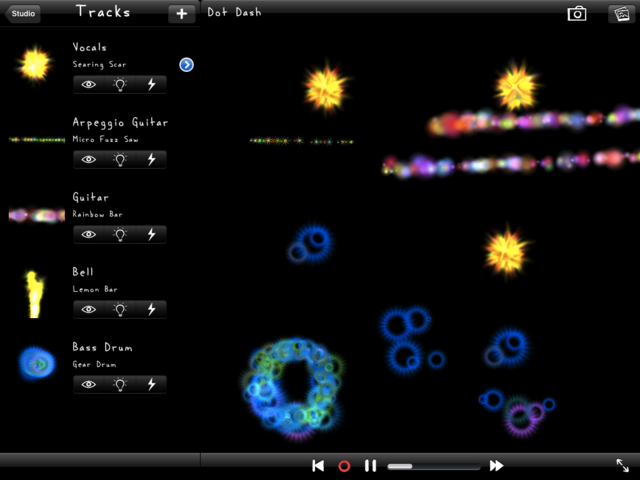
Do you remember how Windows media player would provide trippy visuals to go with your music as you played it?
That's exactly what new app Tappr.Tv lets you create for yourself. By touching, tapping and tilting the screen in time to the music and creating musically inspired swirls.
They describe it as a "visual scratching" - it lets you make dynamic visuals to accompany music tracks which you can then save, edit and play back.
They say: "DJs scratch audio records, VJs make visuals to music, tappr.tv is visual scratching for iPad, iPhone, and iPod touch."
"Tappr.tv lets users make their own dynamic visuals using over 100 particle-based instruments. Each instrument uniquely responds to the user's touches and tilts with bursts of particles and light."

Tappr.Tv is free on iTunes

DJs scratch records, VJs play visuals to music, tappr.tv is visual scratching for iOS. With tappr.tv version 3, you can pick songs from your iPod library and create multitrack animations.